Unite Columns
This is the reverse of separate columns and allows combining multiple variables into one.
To unite columns, go to Datasets > Dataset operation > Unite columns.
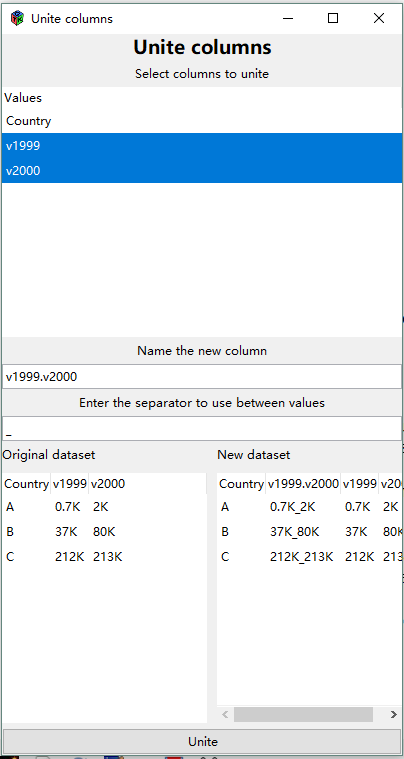
Allows you to select multiple columns and “unite” them using a defined separator (defaults to “_”). The united column name will be the combination of the selected columns with a “.” in between.
In this example, column “v1999” and column “v2000” are united by “_”. The new column name is “v1999.v2000”.
info
It is allowable to have no separator. Just clear the Enter the separator field (delete the “_”)